You've probably already read my first two (1) (2) pages on this topic. I won't get too into the details but basically it's been my quest for the last few months to create snake on this CASIO FX-9750GII from 2009. I knew it was possible but for a while I wasn't making much progress because the only way I knew of to code on the calculator was with the little buttons in a language with little to no documentation. That was until a couple weeks ago when I discovered that a program that I had been using to transfer files from the calculator was actually capable of allowing me to write code for it as well. I also found a way to export screenshots from the calculator so no more sucky photos.
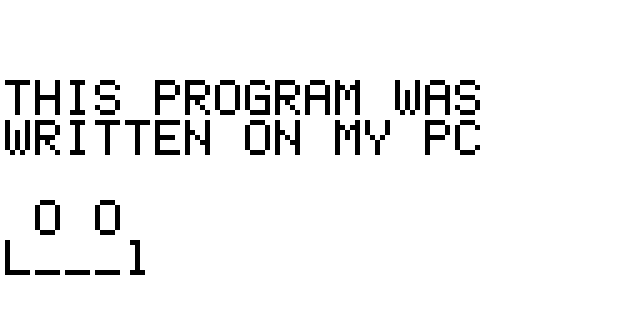
To start with programming the game, first I made sure I knew how my tools worked. You wouldn't hand Leonardo Da-Vinci a motorized circular saw and expect him to get it right away without showing him how it works. First I wrote a program that just put some text on the screen and drew a little ASCII art smiley face just for fun. This was mostly just to check that the whole transfer and programming system even worked and how it determines the way the text is converted to the special characters for the code.
Next it was time to actually work on Snake. I didn't want to start completely from scratch so I used code from my previous failed attempt. I went through and commented the whole thing so I knew what everything does and then I starting laying out how I was going to make it not only functional but a good deal faster too. The first optimization I made was only drawing the "fruit" every time it needs to change position. In order to do this however, I needed to remove the function at the start of the loop that refreshed the screen every frame. Because of that, I made it so that the game draws the snake essentially by chopping off the tail and sticking on a head. Instead of erasing and redrawing the whole snake every frame now I was just erasing and drawing the parts that needed to change between frames.
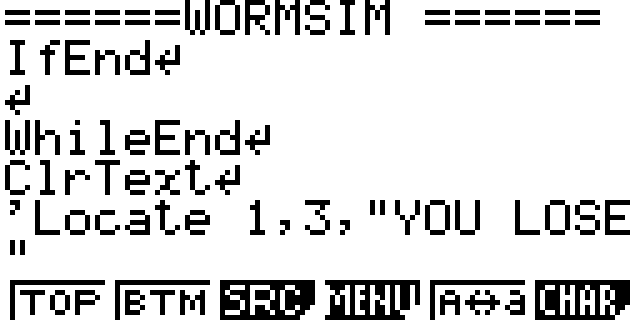
The image above also gives you a sense of the amount of crampedness is in the calculator's actual editor. Once I'd optimized the drawing of the snake I fixed bugs like errors being thrown due to the snake attempting to draw offscreen and the snake occasionally leaving a bit of it's tail behind when the game started. I attempted to add collision of the snake with itself, but it ended up not working so I just scrapped it because avoiding the walls is already a challenge in itself.
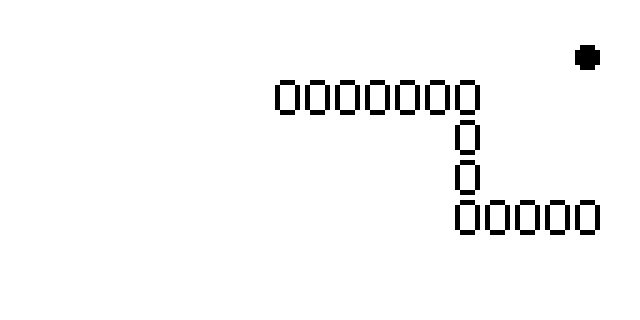
Here's a screenshot of the final program. It has a couple quirks, mainly how the snake will actually slow down as you collect more fruit and the length increases, because the CPU is working more iterating over the lists. I wasn't really expecting this old calculator to put out the best performance anyway. There are a couple more ways I could optimize it like combining the "draw calls" for all of the characters that are on the same row to save on drawing speed but I don't know if the code required for that would take longer to run than the time saved so maybe I'll save that for another time. Overall I had a lot of fun doing this and I might make another calculator program in the future but for now I'm sort of sick at looking at this tiny little dim LCD screen.
Copyright ©2026 goblinpizzas.org All Rights Reserved. Contact Us.